Jake VanderPlas
Python Data Science Handbook(在线版)
认识 NumPy、pandas、Matplotlib 与 scikit-learn 的数据分析工作流。
VanderPlas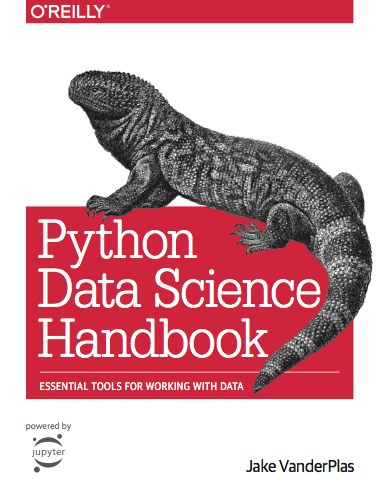
- 难度
- 见前置条件
- 形式
- 书籍
- 语言
- 英文
- 规模
- 67 个课节
- 内容费用
- 免费
- 动手
- 需要动手环境
选择学习环境
按你的电脑系统准备;提示词在你自己的电脑上使用。
建立数据科学练习本
这是本站按当前工具链整理的暖身示例;不保证书中所有旧 notebook 与当前依赖直接兼容,遇错先记录报错和版本。 官方仓库代码为 MIT,文字为 CC BY-NC-ND 3.0 Unported。原始 notebook 保留在 official,执行副本放 exercises。先完成 02.01 数据类型章节;后续旧版 pandas.append/Basemap 等接口未全量验证,遇到错误先核对章节版本,不改写原文件。
阅读使用浏览器即可;动手实验需要独立 Python 环境,具体支持范围见学习指南
这条路线已按开课提示词实际跑通最小开课流程查看记录
准备工具和账号
标“选用”的可以跳过。
- 浏览器 阅读各章与对应 notebook 链接
- JupyterLab 在独立目录记录代码和输出
- NumPy、pandas、Matplotlib、scikit-learn 跟随书中四类工具逐步练习
- Python 3.12 本地实践路线需要。Windows 安装含 py 启动器的 Python;macOS 使用官方安装包;Linux 按发行版提供的 Python 与 venv 包准备。安装后重开终端。
让 AI Agent 一次搭好课程
复制开课提示词发给你常用的 AI Agent。它会下载允许保存的官方材料、建立课节目录并自检;需要账号、权限或费用时会先问你。
开课提示词 · 只需用一次请帮我把「Python Data Science Handbook(在线版)」的学习环境一次准备好,让我之后只需要按顺序学习和做练习。 开始前先问我:课程放在哪个目录(等我给出完整路径),确认我的操作系统和已有工具。确认前不要创建文件或安装软件。 课程入口:https://jakevdp.github.io/PythonDataScienceHandbook/ 我的系统:Windows。如果实际不符,先调整方案。 本次路线:Windows:建立数据科学练习本。只准备这条路线需要的工具;只读路线不安装运行环境、不配置模型密钥。 练习:按每节 notebook 运行示例,并在个人副本中改变数据/参数解释结果;本书主要是示例而非统一评分作业,追加任务明确标为本站练习。 官方仓库代码为 MIT,文字为 CC BY-NC-ND 3.0 Unported。原始 notebook 保留在 official,执行副本放 exercises。先完成 02.01 数据类型章节;后续旧版 pandas.append/Basemap 等接口未全量验证,遇到错误先核对章节版本,不改写原文件。 课节(官方顺序): 1. Preface:https://jakevdp.github.io/PythonDataScienceHandbook/00.00-preface.html 2. 1. IPython: Beyond Normal Python:https://jakevdp.github.io/PythonDataScienceHandbook/01.00-ipython-beyond-normal-python.html 3. Help and Documentation in IPython:https://jakevdp.github.io/PythonDataScienceHandbook/01.01-help-and-documentation.html 4. Keyboard Shortcuts in the IPython Shell:https://jakevdp.github.io/PythonDataScienceHandbook/01.02-shell-keyboard-shortcuts.html 5. IPython Magic Commands:https://jakevdp.github.io/PythonDataScienceHandbook/01.03-magic-commands.html 6. Input and Output History:https://jakevdp.github.io/PythonDataScienceHandbook/01.04-input-output-history.html 7. IPython and Shell Commands:https://jakevdp.github.io/PythonDataScienceHandbook/01.05-ipython-and-shell-commands.html 8. Errors and Debugging:https://jakevdp.github.io/PythonDataScienceHandbook/01.06-errors-and-debugging.html 9. Profiling and Timing Code:https://jakevdp.github.io/PythonDataScienceHandbook/01.07-timing-and-profiling.html 10. More IPython Resources:https://jakevdp.github.io/PythonDataScienceHandbook/01.08-more-ipython-resources.html 11. 2. Introduction to NumPy:https://jakevdp.github.io/PythonDataScienceHandbook/02.00-introduction-to-numpy.html 12. Understanding Data Types in Python:https://jakevdp.github.io/PythonDataScienceHandbook/02.01-understanding-data-types.html 13. The Basics of NumPy Arrays:https://jakevdp.github.io/PythonDataScienceHandbook/02.02-the-basics-of-numpy-arrays.html 14. Computation on NumPy Arrays: Universal Functions:https://jakevdp.github.io/PythonDataScienceHandbook/02.03-computation-on-arrays-ufuncs.html 15. Aggregations: Min, Max, and Everything In Between:https://jakevdp.github.io/PythonDataScienceHandbook/02.04-computation-on-arrays-aggregates.html 16. Computation on Arrays: Broadcasting:https://jakevdp.github.io/PythonDataScienceHandbook/02.05-computation-on-arrays-broadcasting.html 17. Comparisons, Masks, and Boolean Logic:https://jakevdp.github.io/PythonDataScienceHandbook/02.06-boolean-arrays-and-masks.html 18. Fancy Indexing:https://jakevdp.github.io/PythonDataScienceHandbook/02.07-fancy-indexing.html 19. Sorting Arrays:https://jakevdp.github.io/PythonDataScienceHandbook/02.08-sorting.html 20. Structured Data: NumPy's Structured Arrays:https://jakevdp.github.io/PythonDataScienceHandbook/02.09-structured-data-numpy.html 21. 3. Data Manipulation with Pandas:https://jakevdp.github.io/PythonDataScienceHandbook/03.00-introduction-to-pandas.html 22. Introducing Pandas Objects:https://jakevdp.github.io/PythonDataScienceHandbook/03.01-introducing-pandas-objects.html 23. Data Indexing and Selection:https://jakevdp.github.io/PythonDataScienceHandbook/03.02-data-indexing-and-selection.html 24. Operating on Data in Pandas:https://jakevdp.github.io/PythonDataScienceHandbook/03.03-operations-in-pandas.html 25. Handling Missing Data:https://jakevdp.github.io/PythonDataScienceHandbook/03.04-missing-values.html 26. Hierarchical Indexing:https://jakevdp.github.io/PythonDataScienceHandbook/03.05-hierarchical-indexing.html 27. Combining Datasets: Concat and Append:https://jakevdp.github.io/PythonDataScienceHandbook/03.06-concat-and-append.html 28. Combining Datasets: Merge and Join:https://jakevdp.github.io/PythonDataScienceHandbook/03.07-merge-and-join.html 29. Aggregation and Grouping:https://jakevdp.github.io/PythonDataScienceHandbook/03.08-aggregation-and-grouping.html 30. Pivot Tables:https://jakevdp.github.io/PythonDataScienceHandbook/03.09-pivot-tables.html 31. Vectorized String Operations:https://jakevdp.github.io/PythonDataScienceHandbook/03.10-working-with-strings.html 32. Working with Time Series:https://jakevdp.github.io/PythonDataScienceHandbook/03.11-working-with-time-series.html 33. High-Performance Pandas: eval() and query():https://jakevdp.github.io/PythonDataScienceHandbook/03.12-performance-eval-and-query.html 34. Further Resources:https://jakevdp.github.io/PythonDataScienceHandbook/03.13-further-resources.html 35. 4. Visualization with Matplotlib:https://jakevdp.github.io/PythonDataScienceHandbook/04.00-introduction-to-matplotlib.html 36. Simple Line Plots:https://jakevdp.github.io/PythonDataScienceHandbook/04.01-simple-line-plots.html 37. Simple Scatter Plots:https://jakevdp.github.io/PythonDataScienceHandbook/04.02-simple-scatter-plots.html 38. Visualizing Errors:https://jakevdp.github.io/PythonDataScienceHandbook/04.03-errorbars.html 39. Density and Contour Plots:https://jakevdp.github.io/PythonDataScienceHandbook/04.04-density-and-contour-plots.html 40. Histograms, Binnings, and Density:https://jakevdp.github.io/PythonDataScienceHandbook/04.05-histograms-and-binnings.html 41. Customizing Plot Legends:https://jakevdp.github.io/PythonDataScienceHandbook/04.06-customizing-legends.html 42. Customizing Colorbars:https://jakevdp.github.io/PythonDataScienceHandbook/04.07-customizing-colorbars.html 43. Multiple Subplots:https://jakevdp.github.io/PythonDataScienceHandbook/04.08-multiple-subplots.html 44. Text and Annotation:https://jakevdp.github.io/PythonDataScienceHandbook/04.09-text-and-annotation.html 45. Customizing Ticks:https://jakevdp.github.io/PythonDataScienceHandbook/04.10-customizing-ticks.html 46. Customizing Matplotlib: Configurations and Stylesheets:https://jakevdp.github.io/PythonDataScienceHandbook/04.11-settings-and-stylesheets.html 47. Three-Dimensional Plotting in Matplotlib:https://jakevdp.github.io/PythonDataScienceHandbook/04.12-three-dimensional-plotting.html 48. Geographic Data with Basemap:https://jakevdp.github.io/PythonDataScienceHandbook/04.13-geographic-data-with-basemap.html 49. Visualization with Seaborn:https://jakevdp.github.io/PythonDataScienceHandbook/04.14-visualization-with-seaborn.html 50. Further Resources:https://jakevdp.github.io/PythonDataScienceHandbook/04.15-further-resources.html 51. 5. Machine Learning:https://jakevdp.github.io/PythonDataScienceHandbook/05.00-machine-learning.html 52. What Is Machine Learning?:https://jakevdp.github.io/PythonDataScienceHandbook/05.01-what-is-machine-learning.html 53. Introducing Scikit-Learn:https://jakevdp.github.io/PythonDataScienceHandbook/05.02-introducing-scikit-learn.html 54. Hyperparameters and Model Validation:https://jakevdp.github.io/PythonDataScienceHandbook/05.03-hyperparameters-and-model-validation.html 55. Feature Engineering:https://jakevdp.github.io/PythonDataScienceHandbook/05.04-feature-engineering.html 56. In Depth: Naive Bayes Classification:https://jakevdp.github.io/PythonDataScienceHandbook/05.05-naive-bayes.html 57. In Depth: Linear Regression:https://jakevdp.github.io/PythonDataScienceHandbook/05.06-linear-regression.html 58. In-Depth: Support Vector Machines:https://jakevdp.github.io/PythonDataScienceHandbook/05.07-support-vector-machines.html 59. In-Depth: Decision Trees and Random Forests:https://jakevdp.github.io/PythonDataScienceHandbook/05.08-random-forests.html 60. In Depth: Principal Component Analysis:https://jakevdp.github.io/PythonDataScienceHandbook/05.09-principal-component-analysis.html 61. In-Depth: Manifold Learning:https://jakevdp.github.io/PythonDataScienceHandbook/05.10-manifold-learning.html 62. In Depth: k-Means Clustering:https://jakevdp.github.io/PythonDataScienceHandbook/05.11-k-means.html 63. In Depth: Gaussian Mixture Models:https://jakevdp.github.io/PythonDataScienceHandbook/05.12-gaussian-mixtures.html 64. In-Depth: Kernel Density Estimation:https://jakevdp.github.io/PythonDataScienceHandbook/05.13-kernel-density-estimation.html 65. Application: A Face Detection Pipeline:https://jakevdp.github.io/PythonDataScienceHandbook/05.14-image-features.html 66. Further Machine Learning Resources:https://jakevdp.github.io/PythonDataScienceHandbook/05.15-learning-more.html 67. Appendix: Figure Code:https://jakevdp.github.io/PythonDataScienceHandbook/06.00-figure-code.html 1. 环境 - Python 3 独立虚拟环境;按官方作业依赖安装,Notebook 使用 Jupyter。 - 在课程专用目录中准备环境,不修改全局依赖或其他项目环境。 - 记录软件版本;先跑导入、编译器版本或官方离线示例,付费模型调用和提交作业不属于环境自检。 - 官方仓库代码为 MIT,文字为 CC BY-NC-ND 3.0 Unported。原始 notebook 保留在 official,执行副本放 exercises。先完成 02.01 数据类型章节;后续旧版 pandas.append/Basemap 等接口未全量验证,遇到错误先核对章节版本,不改写原文件。 - 本站首课最小环境(不是官方全部作业锁定依赖):在课程目录执行 py -3.12 -m venv .venv;再执行 .\.venv\Scripts\python.exe -m pip install numpy pandas scipy matplotlib scikit-learn jupyterlab ipykernel。安装失败保留错误,不把包能导入等同于干净机器重装成功。 - 安装前先列出要装的软件和命令,等我同意;已装好的直接复用。 2. 材料 - 官方课程表与材料:只记录链接 https://jakevdp.github.io/PythonDataScienceHandbook/(仅保存链接;未确认统一下载许可,不批量复制课件或视频。) - 作者官方 notebook 仓库:git clone --depth 1 https://github.com/jakevdp/PythonDataScienceHandbook 到 official/(许可:文字 CC BY-NC-ND 3.0 Unported;代码 MIT);官方文件原样保留,练习修改放个人工作副本;不将改编文字公开再分发。;本次准备个人学习副本,转载或发布修改版另按上述许可条件处理。 3. 目录(最外层放在我确认的位置) python-data-science/ ├── README.md # 课程入口、课节清单、每次怎么开始 ├── progress.md # 每课:读讲义 / 做练习 / 记笔记 ├── questions.md # 待解决的问题 ├── check-env.ps1 # 环境自检,按 README 操作 ├── official/ # 官方材料 ├── data/ # 练习用到的样例数据 └── lessons/ # 每课一个文件夹:notes.md + exercises/ ├── 01-lesson-01/ ├── 02-lesson-02/ ├── 03-lesson-03/ ├── 04-lesson-04/ ├── 05-lesson-05/ ├── 06-lesson-06/ ├── 07-lesson-07/ ├── 08-lesson-08/ ├── 09-lesson-09/ ├── 10-lesson-10/ ├── 11-lesson-11/ ├── 12-lesson-12/ ├── 13-lesson-13/ ├── 14-lesson-14/ ├── 15-lesson-15/ ├── 16-lesson-16/ ├── 17-lesson-17/ ├── 18-lesson-18/ ├── 19-lesson-19/ ├── 20-lesson-20/ ├── 21-lesson-21/ ├── 22-lesson-22/ ├── 23-lesson-23/ ├── 24-lesson-24/ ├── 25-lesson-25/ ├── 26-lesson-26/ ├── 27-lesson-27/ ├── 28-lesson-28/ ├── 29-lesson-29/ ├── 30-lesson-30/ ├── 31-lesson-31/ ├── 32-lesson-32/ ├── 33-lesson-33/ ├── 34-lesson-34/ ├── 35-lesson-35/ ├── 36-lesson-36/ ├── 37-lesson-37/ ├── 38-lesson-38/ ├── 39-lesson-39/ ├── 40-lesson-40/ ├── 41-lesson-41/ ├── 42-lesson-42/ ├── 43-lesson-43/ ├── 44-lesson-44/ ├── 45-lesson-45/ ├── 46-lesson-46/ ├── 47-lesson-47/ ├── 48-lesson-48/ ├── 49-lesson-49/ ├── 50-lesson-50/ ├── 51-lesson-51/ ├── 52-lesson-52/ ├── 53-lesson-53/ ├── 54-lesson-54/ ├── 55-lesson-55/ ├── 56-lesson-56/ ├── 57-lesson-57/ ├── 58-lesson-58/ ├── 59-lesson-59/ ├── 60-lesson-60/ ├── 61-lesson-61/ ├── 62-lesson-62/ ├── 63-lesson-63/ ├── 64-lesson-64/ ├── 65-lesson-65/ ├── 66-lesson-66/ └── 67-lesson-67/ - 每课文件夹里建 notes.md(顶部写本课官方链接)和 exercises/;课节文件夹名称与上面一致。 - 已有课程目录先检查并复用;不覆盖笔记、作业或 progress.md,不重置已有进度。尚未发布的课节保留入口并注明未发布,不能代写讲义或虚构练习。 4. 自检 - 创建 check-env.ps1,逐项检查并记录“通过/未通过”: - 在课程根目录运行;每项检查独立执行,进入子目录不能影响下一项。将下面检查转换为 PowerShell 命令,不使用 Bash 语法。 - 在课程 .venv 对应的 Python 代码单元中执行(不是 shell 命令):import numpy, pandas, matplotlib, ipykernel; print(numpy.arange(3).tolist()) → [0, 1, 2];随后选择该虚拟环境的 Jupyter kernel,执行 official/notebooks/02.01-Understanding-Data-Types.ipynb 的工作副本 - 标注为人工检查、浏览器操作或 notebook 单元的项目,按相应方式操作,不直接粘贴进 shell;脚本只包含当前系统可执行的命令。 - 仅在当前路线需要、对应材料已获准保存、工具已安装时运行该项;需要登录、付费或尚未开放的材料记为“需要我操作/未验证”,不能伪报通过。不执行会调用付费 API、提交作业或修改云服务的检查。 - 运行一次,把结果给我看;未通过的项目说明原因和修复办法。 5. 学习计划 - README.md:课程入口、课节清单(带链接)、每次学习怎么开始(使用“每课提示词”)。 - progress.md:每课三项勾选——读讲义、做练习、记笔记。 6. 最后分三部分汇报:已完成、需要我自己操作的、尚未验证的。 边界: - 需要管理员权限、会产生费用或需要填写密钥的操作,先告诉我原因,等我同意。密钥由我在本机配置,不发到聊天,不写进笔记或版本库;原项目需要 .env 时确认已被 Git 忽略。 - 不替我写练习或作业答案,也不替我提交。我卡住时只给提示;我明确要求时才给解答。 - 只下载许可允许个人保存的材料;其余只放链接。不把未运行的命令说成成功。 如果你不能直接操作我的文件系统,请在确认目录后给出适用于我的系统、可直接执行的命令和需要保存的文件内容。搭好后的课程目录
python-data-science/
├── README.md        # 课程入口、课节清单、每次怎么开始
├── progress.md      # 每课:读讲义 / 做练习 / 记笔记
├── questions.md     # 待解决的问题
├── check-env.ps1     # 环境自检,按 README 操作
├── official/        # 官方材料
├── data/            # 练习用到的样例数据
└── lessons/         # 每课一个文件夹:notes.md + exercises/
    ├── 01-lesson-01/
    ├── 02-lesson-02/
    ├── 03-lesson-03/
    ├── 04-lesson-04/
    ├── 05-lesson-05/
    ├── 06-lesson-06/
    ├── 07-lesson-07/
    ├── 08-lesson-08/
    ├── 09-lesson-09/
    ├── 10-lesson-10/
    ├── 11-lesson-11/
    ├── 12-lesson-12/
    ├── 13-lesson-13/
    ├── 14-lesson-14/
    ├── 15-lesson-15/
    ├── 16-lesson-16/
    ├── 17-lesson-17/
    ├── 18-lesson-18/
    ├── 19-lesson-19/
    ├── 20-lesson-20/
    ├── 21-lesson-21/
    ├── 22-lesson-22/
    ├── 23-lesson-23/
    ├── 24-lesson-24/
    ├── 25-lesson-25/
    ├── 26-lesson-26/
    ├── 27-lesson-27/
    ├── 28-lesson-28/
    ├── 29-lesson-29/
    ├── 30-lesson-30/
    ├── 31-lesson-31/
    ├── 32-lesson-32/
    ├── 33-lesson-33/
    ├── 34-lesson-34/
    ├── 35-lesson-35/
    ├── 36-lesson-36/
    ├── 37-lesson-37/
    ├── 38-lesson-38/
    ├── 39-lesson-39/
    ├── 40-lesson-40/
    ├── 41-lesson-41/
    ├── 42-lesson-42/
    ├── 43-lesson-43/
    ├── 44-lesson-44/
    ├── 45-lesson-45/
    ├── 46-lesson-46/
    ├── 47-lesson-47/
    ├── 48-lesson-48/
    ├── 49-lesson-49/
    ├── 50-lesson-50/
    ├── 51-lesson-51/
    ├── 52-lesson-52/
    ├── 53-lesson-53/
    ├── 54-lesson-54/
    ├── 55-lesson-55/
    ├── 56-lesson-56/
    ├── 57-lesson-57/
    ├── 58-lesson-58/
    ├── 59-lesson-59/
    ├── 60-lesson-60/
    ├── 61-lesson-61/
    ├── 62-lesson-62/
    ├── 63-lesson-63/
    ├── 64-lesson-64/
    ├── 65-lesson-65/
    ├── 66-lesson-66/
    └── 67-lesson-67/
来源与使用须知
- 原始资源
- Jake VanderPlas 收录版本:作者在线 notebook 版;不推断与纸质最新版相同
- 收录时间
- 本站首次收录 2026-10-10
- 指南参考
- 作者在线版目录和运行说明
版权与转载
- MIT(代码);CC BY-NC-ND 3.0 Unported(文字):可原样转载,需署名;不得修改;仅限非商业用途;适用范围以原站说明为准,第三方材料可能另有条款。原站说明
- 本站只提供原始链接和学习指南,不转载、不镜像课程材料;课程图像来自原站,版权与商标归原权利人;引用时请注明原作者与出处。